A Language Reactor alternative for your phone
Language Reactor runs in Chrome on a computer. Lingible brings dual subtitles, tap translation and flashcards to iPhone and Android, along with 67,000+ free books.
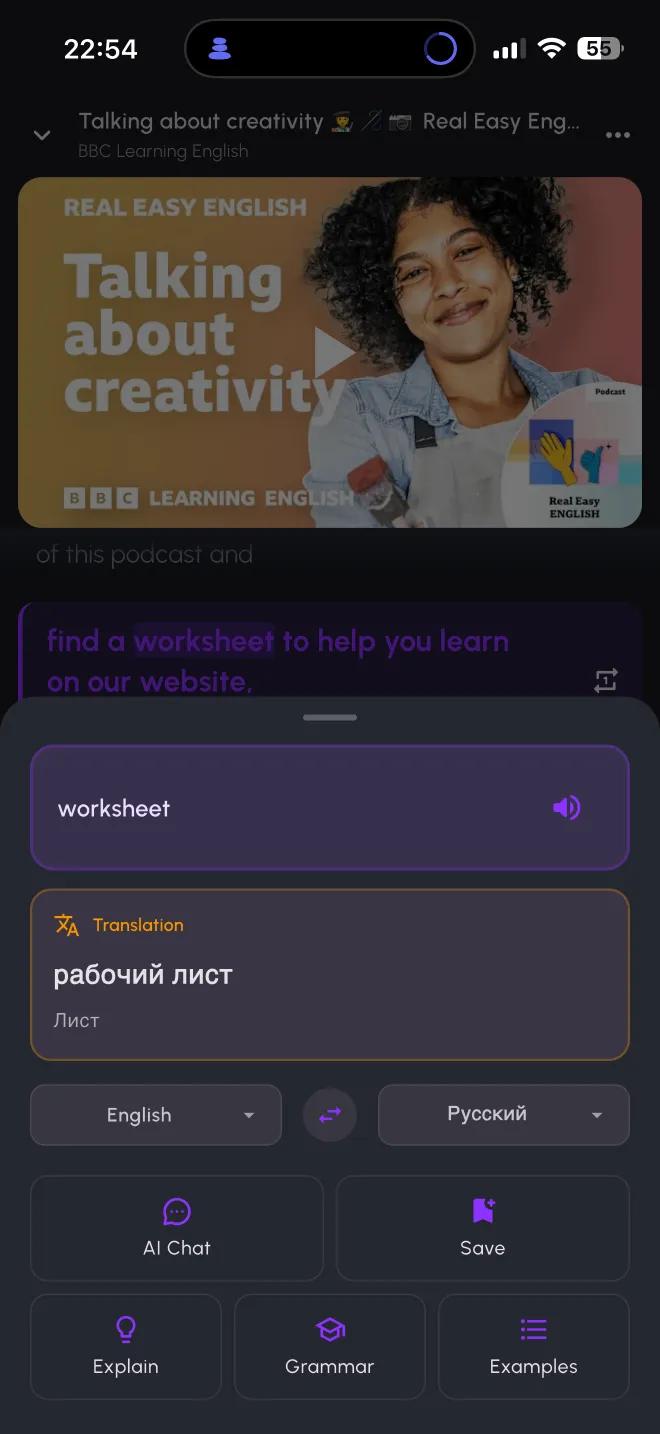
Language Reactor runs in Chrome on a computer. Lingible brings dual subtitles, tap translation and flashcards to iPhone and Android, along with 67,000+ free books.
Both tools turn real videos into language practice. The difference is where you use them and what sits around the video.
| Language Reactor | Lingible | |
|---|---|---|
| Where it runs | Chrome extension on Windows and macOS computers | iPhone and Android app |
| Netflix | Yes | No |
| YouTube | Yes | Yes, any link plus a catalog of 1,200+ videos by level |
| Dual subtitles | Yes | Yes |
| Word lookup | Popup dictionary | Tap a word for translation and pronunciation |
| Video tools | Precise playback controls | Sentence loop, slower speed, shadowing |
| Books | Import text | 67,000+ free books, plus your own EPUB, PDF, MOBI, TXT or FB2 |
Stay with Language Reactor if you learn at a computer or watch Netflix. Lingible does not work with Netflix, and it has no desktop version.
Choose Lingible if you learn on your phone. Open a YouTube video with dual subtitles on the train, tap the words you miss, and review them later as flashcards.
Choose Lingible if you also want to read. The same tap translation works across free books sorted by level, so reading and listening build one vocabulary.
Language Reactor details come from its Chrome Web Store listing, checked in November 2026. Features can change, so check there for the current state. Lingible is not affiliated with Language Reactor.
Its Chrome Web Store listing describes an extension for Chrome on desktop and laptop computers. Some apps in the stores use the name but come from other developers, so check who publishes an app before you install it.
No. Lingible works with YouTube and books.
You can paste any YouTube link. If a video has no captions, AI subtitles can generate them, within the limits of your plan.
Yes, to start. The free plan includes dual subtitles on a limited number of videos a day. Lingible Pro removes the limit.
The curated video catalog covers 13 languages. Subtitles of videos you paste yourself can be translated into 40+ languages.