YouTube with dual subtitles for language learning
Watch YouTube on your phone with two subtitle tracks at once. Tap any word to translate it, loop a sentence, and save the words you want to keep.
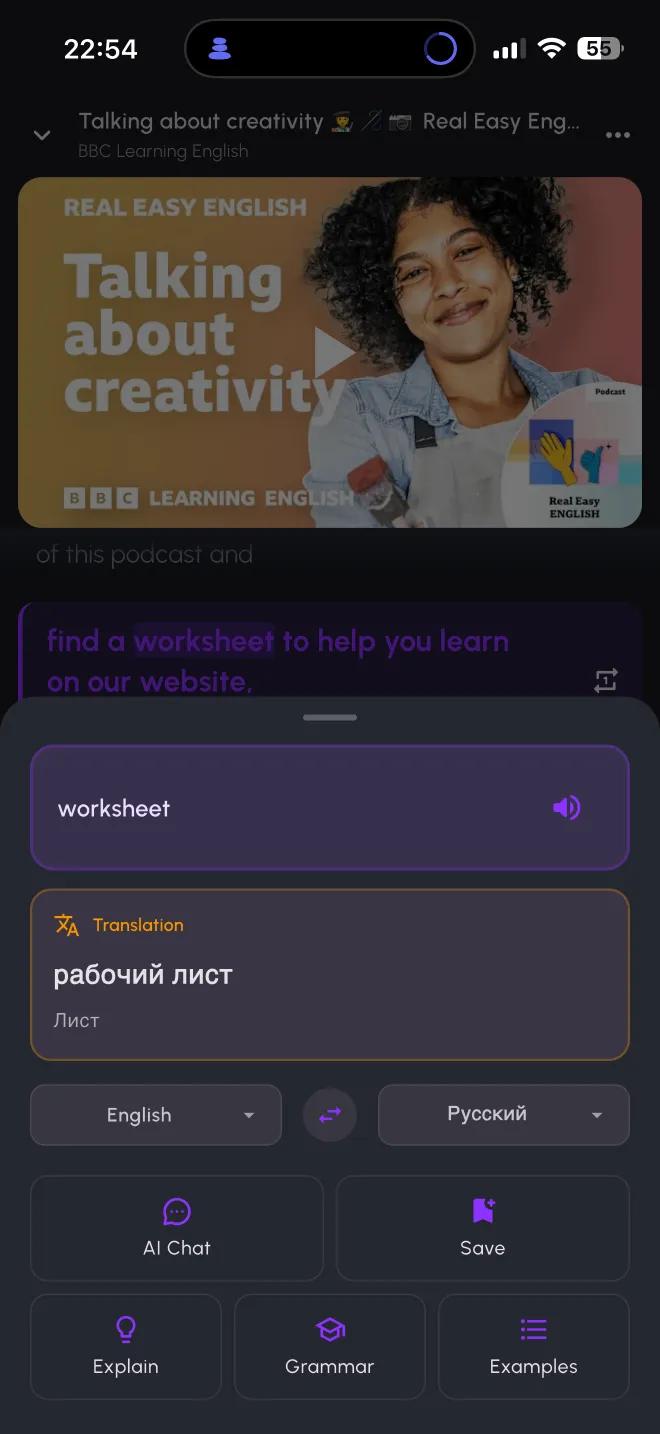
Watch YouTube on your phone with two subtitle tracks at once. Tap any word to translate it, loop a sentence, and save the words you want to keep.
Paste any YouTube link into the app, or pick from a catalog of 1,200+ videos sorted by language and level. The original subtitles run next to a translation, so you hear the language and can check the meaning without stopping to look it up.
The catalog covers English, Spanish, French, German, Italian, Portuguese, Russian, Japanese, Korean, Chinese, Arabic, Turkish and Dutch.
It works on your phone. Browser extensions such as Language Reactor are built for desktop browsers, so they stay on your laptop. Lingible is an iPhone and Android app, so a video fits into a commute or a coffee break.
Words carry over to practice. Words saved from a video land in the same vocabulary as words from your books, and you train them in one place.
Books are in the same app. The same tap-to-translate works across 67,000+ free books, so reading and listening feed each other.
One honest limit: Lingible works with YouTube only. Netflix is not supported.
You can paste any YouTube link. If a video has no captions, AI subtitles can generate them, within the limits of your plan.
Yes, to start. The free plan includes dual subtitles on a limited number of videos a day. Lingible Pro removes the limit.
The curated catalog covers 13 languages. For videos you paste yourself, subtitles can be translated into 40+ languages.
Yes. Lingible is available on the App Store and Google Play.
No. Lingible is an independent app and is not affiliated with YouTube or Google.